Start — roktoto in in a few minutes Ready.
roktoto Mobile Verification - Liga 1Piala AFF & Football Markets
Most platforms ask for verification after you deposit. We ask upfront. Mobile verification on roktoto is the step that unlocks your account access to football markets, live-dealer tables, and payment rails — Liga 1, Piala AFF, Champions League fixtures, and our sportsbook calendar all sit behind a straightforward identity check.

- and
- Update
- Installin
- DownloadAPK
The process is simple: you provide a mobile number, we send a code, you confirm. From there, your account transitions from pending to active, and you can fund via DANA, e-wallet, mobile banking, local payment, online payment, e-wallet, or direct bank transfers (mobile banking, local payment, online payment, e-wallet). This guide walks through what happens during verification, why we require it, and how it connects to your first football market or live-dealer session.
What Mobile Verification Means on roktoto
Mobile verification is the first checkpoint after you register on roktoto. We collect your phone number, send a one-time code via SMS, and ask you to enter it into our app or web interface. This confirms that the number belongs to you and that you can receive messages — a basic anti-fraud step that protects both your account and our payment system.

Once verified, your account status changes from "Pending" to "Active". You then move directly to the next stage — account information completion (name, address, city) — before deposits become available. The entire sequence typically takes a few minutes.
We use mobile verification across all roktoto user segments, whether you plan to explore Liga 1 odds, join a live-roulette table during Idul Fitri holidays, or try our slot games. It is not optional; it is built into our onboarding flow because payment networks and fraud-prevention systems require a verified phone contact.
Your phone number remains private and is used only for account recovery, deposit notifications, and service messages. We do not share it with third parties, and you can update it anytime from your account settings once verification is complete.
- One-time code (OTP)
- A six-digit number sent to your phone; valid for ten minutes. If it expires, request a new code from the roktoto login screen.
- Pending account
- Your roktoto login is live, but deposits and market access are restricted until mobile verification completes.
- Active account
- After verification, your account unlocks payment rails, football markets, and live-dealer tables across roktoto.
Step-by-Step Mobile Verification on roktoto
-
Enter your phone number
On the roktoto registration page, you input the mobile number you want linked to your account. Ensure it is a working number that can receive SMS.
-
Request a verification code
Click "Send Code". roktoto immediately dispatches a one-time password (OTP) via SMS to your number. The code is valid for ten minutes.
-
Enter the code in roktoto
Copy the six-digit code from your SMS and paste or type it into the verification field on roktoto. Double-check for typos before submitting.
-
Confirmation and account activation
Once confirmed, roktoto immediately marks your account as verified. You can now complete your profile and add a payment method to deposit.

What happens if the code does not arrive?
Occasionally, SMS delivery can be delayed or blocked. If your code does not arrive within two minutes, check your SMS spam folder or network settings. On roktoto, you can request a new code from the verification screen — each request generates a fresh OTP.
If issues persist, our support team is reachable via the roktoto help centre. We respond during standard service hours with guidance on alternative verification methods or account recovery if you no longer have access to the original phone number.
Updating your verified phone number
After your initial verification, you can change your phone number from the roktoto account settings. We will send a new verification code to the replacement number to confirm ownership. This process protects your account from unauthorized changes and ensures roktoto always has a current contact method for service notifications.
Mobile Verification and roktoto Payment Setup
Mobile verification is not the same as payment verification, but both are necessary to fund your roktoto account. After your phone is verified, you add a payment method — DANA, e-wallet, mobile banking, local payment, online payment, or e-wallet for e-wallets, or a virtual account (VA) for mobile banking, local payment, online payment, or e-wallet bank transfers.
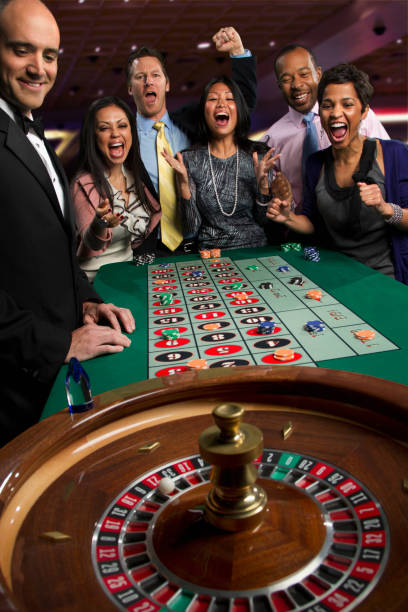
When you deposit via mobile banking or local payment, the payment gateway opens in a separate window or app. You authenticate with your e-wallet credentials, and the transfer to roktoto completes in real-time. Bank transfers (online payment, e-wallet, mobile banking, local payment) use virtual accounts — roktoto generates a unique VA number, you transfer from your bank app, and the credit typically arrives within a few minutes.
Our roktoto support team can assist if a deposit stalls. We track inbound transfers and can investigate delays, though most payment flows finish without friction during regular hours, including during holiday periods such as Idul Fitri, Idul Adha, or Imlek when e-wallet traffic peaks.
Mobile verification and football market access
Once verified, you can browse all roktoto sportsbook categories — Liga 1, Piala Indonesia, Piala AFF, Champions League, and other tournaments. You do not need to deposit to view market layouts or team information; however, placing any market activity requires an active deposit.
- Liga 1 matchdays run year-round; roktoto updates odds and fixture schedules as games are confirmed.
- Piala AFF tournaments occur annually; our platform integrates regional federation calendars so you always know upcoming rounds.
- Champions League and World Cup cycles span months; roktoto maintains market depth throughout qualifying, group, and knockout phases.
- Live-dealer tables (blackjack, roulette, baccarat, Dragon Tiger) operate continuously; verification allows you to join any table that suits your session time.
Security after verification
Mobile verification is your first security layer. We recommend enabling two-factor authentication (2FA) as a second layer — this asks for a PIN or app-generated code each time you log in from a new device. Together, mobile verification and 2FA make your roktoto account resistant to unauthorized access.
We also encrypt all data transmitted between your phone and our servers, and we never store your OTP code after verification completes. Your password is hashed on our backend, meaning even our own staff cannot read it.

Jurisdiction and account eligibility
Our services on roktoto are available only where applicable local law permits. Mobile verification happens regardless of your location; however, if roktoto detects that you are accessing from a jurisdiction where we do not operate, your account will be restricted. You are responsible for verifying that access and use of roktoto comply with your own jurisdiction's law before registering.
If you have questions about your region's eligibility or any step during mobile verification on roktoto, our support centre is available during standard service hours. We provide replies in English and local languages, and we respond to account-recovery queries within a typical service window.
Understanding roktoto Verification and Account Activation
From registration to first session
Your journey on roktoto begins the moment you tap "Register" and fill in your email, password, and basic details. You are immediately logged in, but your account remains in a "Pending" state — no deposits, no market access, no live-dealer tables until you verify your identity via mobile. After you submit your phone number and confirm the SMS code, roktoto marks you as verified. The next step is account information: your full name, date of birth, and residential address. This data is collected under know-your-customer (KYC) requirements that payment networks and fraud systems enforce. Once your profile is complete, you can add a payment method.
Your first deposit typically settles within minutes if you use DANA, OVO, GoPay, or ShopeePay — e-wallets that connect instantly to roktoto. Bank transfers (BCA, Mandiri, BRI, BNI virtual accounts) also complete quickly during business hours. After your balance shows on roktoto, you can browse and engage with any game category: football markets covering Liga 1, Piala Indonesia, Piala AFF, or Champions League; live-dealer tables running blackjack, roulette, baccarat, Dragon Tiger; or slots like Aviator, Sweet Bonanza, and Fortune Tiger. The entire sequence from registration to your first active session typically spans ten to twenty minutes.
Payment options and processing windows
roktoto accepts eight primary payment channels: five e-wallets (DANA, OVO, GoPay, ShopeePay, LinkAja) and three bank networks plus QRIS. Each has slightly different user flows. DANA, OVO, GoPay, and ShopeePay transfers route directly from your wallet app to roktoto and confirm instantly. LinkAja operates similarly, though processing can occasionally take one to two minutes depending on network load. QRIS (Indonesia's unified quick-response code standard) works with any participating bank or e-wallet app — you scan the roktoto QRIS code and complete the payment in your preferred app.
For bank transfers, roktoto generates a unique virtual account (VA) number tied to BCA, Mandiri, BRI, or BNI. You initiate a transfer from your bank's mobile app or ATM, and the funds arrive on roktoto within minutes during standard hours. Outside business hours (evenings, weekends, or holidays such as Idul Fitri, Idul Adha, or Imlek), bank transfers may experience slight delays, though most settle within a few hours. Our roktoto support team monitors inbound transfers and can help trace any deposit that does not appear immediately. We do not promise fixed processing times; however, the typical window is immediate to five minutes for e-wallets and immediate to one hour for bank transfers during all service periods.
Choosing a game category
After your first deposit lands in roktoto, you face a choice: football / sportsbook, live-dealer tables, or slots. Each category serves different preferences. The football section on roktoto covers Liga 1 (Indonesia's top domestic league), Piala Indonesia (domestic cup), Piala AFF (regional federation tournament), Champions League, and World Cup cycles. You explore upcoming fixtures, review team histories and seasonal standings, and engage with market data — odds, team news, historical match outcomes. This category attracts users who enjoy research and fixture-focused engagement over rapid gameplay.
Live-dealer tables (blackjack, roulette, baccarat, Dragon Tiger, Sicbo, and multi-camera live studios) feature real dealers operating from remote studios. You join a table, place activity, and watch the dealer's actions in real-time via video stream. These games appeal to users seeking a social, interactive experience with consistent payout rules. Slots (Aviator, Sweet Bonanza, Gates of Olympus, Fortune Tiger, Mahjong Ways, Book of Ra) are automated, fast-paced games where outcomes are determined by a random-number generator (RNG). Each spin or round takes seconds to minutes, and the category attracts users who prefer quick sessions with straightforward mechanics. All three categories are accessible to any verified roktoto user with an active balance.
Service availability and jurisdiction
roktoto operates under the principle that services are available only where applicable local law permits online wagering. We do not offer access in jurisdictions where such services are prohibited. Before opening an account, you are responsible for confirming that roktoto is legally accessible and usable in your location. Our terms of service contain a full jurisdiction notice; reading this notice is part of account registration on roktoto.
If roktoto detects access from a restricted jurisdiction (based on IP address, payment source, or other signals), your account may be flagged for review or restricted. We also enforce this rule at withdrawal time — if you attempt to cash out funds from a location where we do not operate, the request may be declined pending verification of your circumstances. Our support team can clarify eligibility for your specific location. We respond during standard service hours in English and regional languages. If you believe your account has been restricted in error, contact us through the roktoto help centre with details of your location and circumstances; we review such requests and provide guidance within a typical service window.